
Sophos Central Email Advanced

Smarter email security with AI
Email threats are evolving at a rapid pace, so companies increasingly need predictive email security - a defense that has tomorrow's threats in mind today.
AI against threats
Sophos Email uses the same technology as the award-winning Intercept X solution: The artificial intelligence of Sophos Email sandboxing technology is a deep learning neural network - it blocks zero-day malware and unwanted applications.
The end for ransomware
Today's most advanced anti-ransomware technology: Sophos Email Security uses behavioral analysis to defend against unknown ransomware and boot record attacks.
Defense against veiled attacks
Time-of-Click URL Protection checks the website reputation of email links before delivery and again when you click - blocking obfuscated, delayed attacks that other security solutions may not detect.
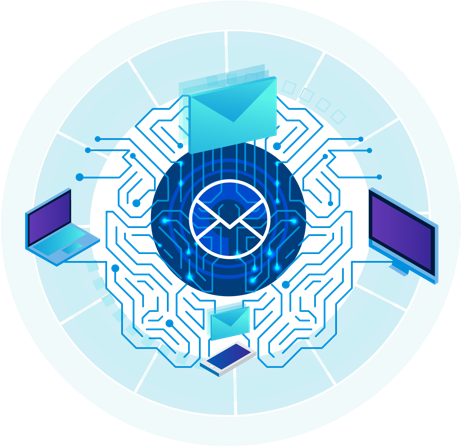
Features of Sophos Email Security

Setup and administration
Sophos Email is ready to use right out of the box. With the default settings, you get instant protection for your business and your inboxes.

Email Security Features
Protect your users and your company from complex threats with instant protection. The default settings are active immediately and intercept emails with suspicious content, attachments or URLs.

Active Threat Protection (ATP)
Active Threat Protection (ATP) with cloud sandboxing and time-of-click URL protection sets completely new standards in threat defense.

Uninterrupted e-mail access
If your email server goes down - for example, in the event of a power outage or a cloud-based service disruption - Sophos Email gives you uninterrupted email access.

Protection against phishing & impersonation
Make sure you can trust your inbox again. With our solution, you can easily protect your company and your employees from phishing attacks in which the emails supposedly come from known contacts.
- Powerful combination of SPF, DKIM and DMARC authentication, header analysis and analysis of displayed names and impersonated domains
- Comparison of the displayed name of incoming emails with frequently misused names of cloud service providers and VIPs in the company
- Suspicious messages can be blocked, moved to quarantine or marked with a subject line warning
Protection and management
| Protection and management | Email Advanced |
|---|---|
| Scans of incoming messages | |
| Scans of outgoing messages | |
| Policies at domain, group and user level | |
| Quarantine options for administrators and users | |
| „Allow“ / „Block“ lists for admins | |
| AD or Azure AD synchronization | |
| 24/7 emergency inbox | |
| Email processing locations (UK, DE, USA) | |
| Antispam filter | |
| Delay Queue | |
| Inbound SPF, DKIM and DMARC | |
| Antivirus filter | |
| Time-of-Click URL Protection | |
| Sophos Sandstorm | |
| Push-based e-mail encryption | |
| Forced TLS encryption | |
| Data loss prevention | |
| Guidelines for the control of content | |
| Reporting dashboard and detailed reports | |
| Role-based access via Sophos Central |
Downloads & Resources
If you have any questions about documentation or licensing, please contact our Advisory team.
Purchasing advice
Are you unsure which license is right for you? Our team of experts will be happy to advise you - free of charge and without obligation.
- ✔ Individual needs analysis
- ✔ Product and license comparison
- ✔ Support with migration and renewal
- ✔ Special conditions for EDU and GOV
Related products
Email monitoring
Email monitoring for compliance and security analysis.
Security Awareness
Phishing simulations and security awareness training for employees.